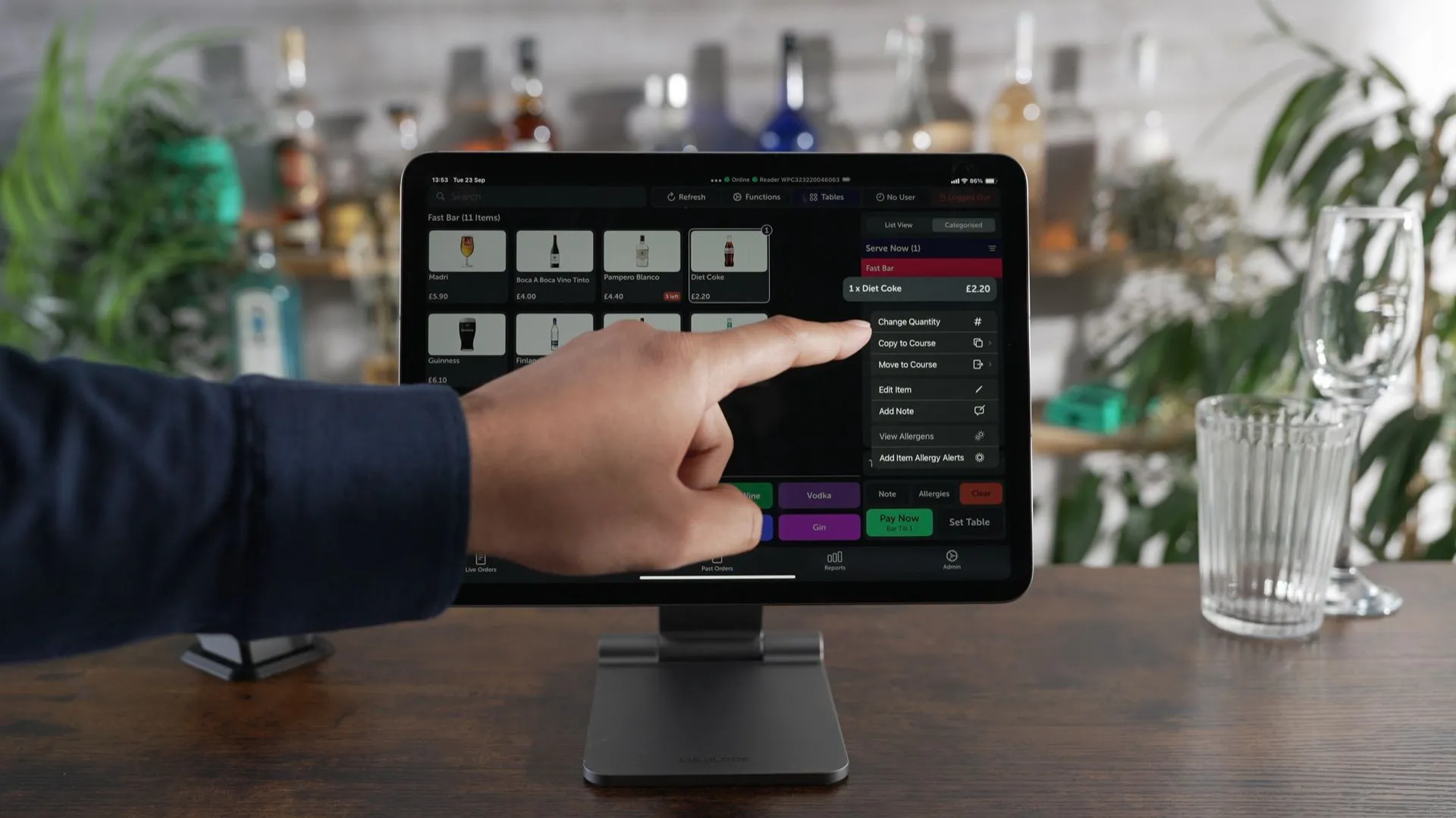

Product Demo Videos
Discover how to use some of the basic functions of the Dines EPOS system - a foundational walkthrough for new staff across restaurants, bars, festivals, events, food halls, theatres and event venues.

Product Demo Videos
Discover how to use some of the basic functions of the Dines EPOS system - a foundational walkthrough for new staff across restaurants, bars, festivals, events, food halls, theatres and event venues.

Product Demo Videos
Discover how to use some of the basic functions of the Dines EPOS system - a foundational walkthrough for new staff across restaurants, bars, festivals, events, food halls, theatres and event venues.
Click on the corresponding video below to help you get up to speed on some of Dines' basic functions.
Can't find what you're looking for? Message us directly on +44 7822 002783.
Taking an order
See how to take an order using the Dines EPOS system. A foundational walkthrough for new staff across restaurants, bars, and event venues.

Taking an order
See how to take an order using the Dines EPOS system. A foundational walkthrough for new staff across restaurants, bars, and event venues.

Taking an order with an instant charge
Learn how to take an order with an instant charge on the Dines EPOS system. Ideal for fast-service environments like festivals, food halls, and kiosks.

Taking an order with an instant charge
Learn how to take an order with an instant charge on the Dines EPOS system. Ideal for fast-service environments like festivals, food halls, and kiosks.

An intro to Dines
Learn how to take an order with an instant charge on the Dines EPOS system. Ideal for fast-service environments like festivals, food halls, and kiosks.

Marking an item as OOS
ee how to mark an item as out of stock in Dines EPOS. A quick action for staff managing availability across busy venues and events.

Marking an item as OOS
ee how to mark an item as out of stock in Dines EPOS. A quick action for staff managing availability across busy venues and events.

Making an item as in-stock
Find out how to mark an item as in stock on the Dines EPOS system. Keep your menu accurate and avoid disappointing customers during service.

Making an item as in-stock
Find out how to mark an item as in stock on the Dines EPOS system. Keep your menu accurate and avoid disappointing customers during service.

Set a stock limit on an item
Learn how to set a stock limit on a menu item in Dines. Essential for venues and festivals managing limited availability in real time.

Set a stock limit on an item
Learn how to set a stock limit on a menu item in Dines. Essential for venues and festivals managing limited availability in real time.

Change an item's colour
See how to change the colour of an item in Dines EPOS. A simple customisation to help staff identify and navigate menu items faster.

Change an item's colour
See how to change the colour of an item in Dines EPOS. A simple customisation to help staff identify and navigate menu items faster.

Search for an item
Find out how to search for an item on the Dines EPOS system. A time-saving feature for venues with large or complex menus.

Search for an item
Find out how to search for an item on the Dines EPOS system. A time-saving feature for venues with large or complex menus.

Switch to categorised view
Learn how to switch to categorised view on the Dines EPOS system. Helps staff navigate menus quickly during busy service periods.

Switch to categorised view
Learn how to switch to categorised view on the Dines EPOS system. Helps staff navigate menus quickly during busy service periods.

Add note to item
See how to add a note to an individual item in Dines EPOS. Useful for capturing special requests or dietary requirements at the point of sale.

Add note to item
See how to add a note to an individual item in Dines EPOS. Useful for capturing special requests or dietary requirements at the point of sale.

Change quanity of an item
Find out how to change the quantity of an item in your basket on Dines EPOS. A handy feature for fast-paced hospitality and event environments.

Change quanity of an item
Find out how to change the quantity of an item in your basket on Dines EPOS. A handy feature for fast-paced hospitality and event environments.

Remove item from basket
Learn how to remove an individual item from the basket in Dines EPOS. Simple and essential for front-of-house teams managing customer orders.

Remove item from basket
Learn how to remove an individual item from the basket in Dines EPOS. Simple and essential for front-of-house teams managing customer orders.

Clear basket
See how to clear the basket on the Dines EPOS system. A quick tip for staff needing to reset an order during service.

Clear basket
See how to clear the basket on the Dines EPOS system. A quick tip for staff needing to reset an order during service.

Add items to a session
Find out how to add items to an open session on Dines EPOS. A core skill for any front-of-house team working in hospitality or events.

Add items to a session
Find out how to add items to an open session on Dines EPOS. A core skill for any front-of-house team working in hospitality or events.

Re-order items to a session
Learn how to re-order items on an existing session in Dines. Great for bars, restaurants, and event venues handling repeat orders quickly.

Re-order items to a session
Learn how to re-order items on an existing session in Dines. Great for bars, restaurants, and event venues handling repeat orders quickly.

Opening a session
See how to open a session on the Dines EPOS system. A quick start guide for staff setting up at the beginning of service.

Opening a session
See how to open a session on the Dines EPOS system. A quick start guide for staff setting up at the beginning of service.

Re-order using table plan
Find out how to re-order items using the table plan view in Dines. A useful feature for table service restaurants managing multiple covers.

Re-order using table plan
Find out how to re-order items using the table plan view in Dines. A useful feature for table service restaurants managing multiple covers.

Adding allergy alerts to a session
Learn how to add allergy alerts to an order in Dines EPOS. An important feature for any hospitality venue prioritising guest safety and compliance.

Adding allergy alerts to a session
Learn how to add allergy alerts to an order in Dines EPOS. An important feature for any hospitality venue prioritising guest safety and compliance.

Progressing courses using coursing
See how to progress courses using the coursing feature in Dines. Ideal for restaurants managing multi-course dining and kitchen timing.

Progressing courses using coursing
See how to progress courses using the coursing feature in Dines. Ideal for restaurants managing multi-course dining and kitchen timing.

Taking a break (EPOS)
Find out how to take a break directly from the Dines EPOS terminal. Useful for front-of-house staff managing their time during service.

Taking a break (EPOS)
Find out how to take a break directly from the Dines EPOS terminal. Useful for front-of-house staff managing their time during service.

Starting a shift
Learn how to start a shift on the Dines EPOS system. A straightforward walkthrough for new and existing staff across restaurants, bars, and event venues.

Starting a shift
Learn how to start a shift on the Dines EPOS system. A straightforward walkthrough for new and existing staff across restaurants, bars, and event venues.

Ending a break (T&A kiosk)
See how to end a break on the Dines time and attendance kiosk and return to your shift. Quick and simple for busy hospitality environments.

Ending a break (T&A kiosk)
See how to end a break on the Dines time and attendance kiosk and return to your shift. Quick and simple for busy hospitality environments.

Taking a break (T&A kiosk)
Find out how to log a break using the Dines time and attendance kiosk. Designed for venues and events managing staff schedules efficiently.

Taking a break (T&A kiosk)
Find out how to log a break using the Dines time and attendance kiosk. Designed for venues and events managing staff schedules efficiently.

Switching a card reader
Learn how to switch your card reader within the Dines EPOS system. A quick guide for venues managing multiple payment devices.

Switching a card reader
Learn how to switch your card reader within the Dines EPOS system. A quick guide for venues managing multiple payment devices.

Enable offline mode
See how to enable offline mode on the Dines EPOS system, keeping your venue running smoothly even without an internet connection.

Enable offline mode
See how to enable offline mode on the Dines EPOS system, keeping your venue running smoothly even without an internet connection.

Check pending offline payments
Find out how to check pending offline payments in Dines. Essential for festival and event operators running in low-connectivity environments.

Check pending offline payments
Find out how to check pending offline payments in Dines. Essential for festival and event operators running in low-connectivity environments.

Splitting a bill by head on a session
Learn how to split a bill evenly between guests on Dines EPOS. A must-know feature for restaurants and hospitality venues managing group payments.

Splitting a bill by head on a session
Learn how to split a bill evenly between guests on Dines EPOS. A must-know feature for restaurants and hospitality venues managing group payments.

Removing service charge on a session
See how to remove a service charge from a session in the Dines EPOS system. Useful for staff handling customer requests or correcting orders at the point of sale.

Removing service charge on a session
See how to remove a service charge from a session in the Dines EPOS system. Useful for staff handling customer requests or correcting orders at the point of sale.

Add service charge on a session
Learn how to add a standard service charge to a session using Dines EPOS. A quick walkthrough for front-of-house teams in restaurants, bars, and event spaces.

Add service charge on a session
Learn how to add a standard service charge to a session using Dines EPOS. A quick walkthrough for front-of-house teams in restaurants, bars, and event spaces.

Applying custom service charge on a session
Find out how to add a custom service charge to a session in Dines. Great for restaurants and event venues that need flexible tipping or service charge options.

Applying custom service charge on a session
Find out how to add a custom service charge to a session in Dines. Great for restaurants and event venues that need flexible tipping or service charge options.

Applying a discount on an order
See how to apply a discount to an order on the Dines EPOS system. Ideal for hospitality venues looking to manage promotional pricing quickly at the point of sale.

Applying a discount on an order
See how to apply a discount to an order on the Dines EPOS system. Ideal for hospitality venues looking to manage promotional pricing quickly at the point of sale.

Applying a pre-paid tab to a session
Learn how to apply a pre-paid tab to an open session using Dines EPOS. Perfect for festivals, events, and venues managing pre-purchased credit.

Applying a pre-paid tab to a session
Learn how to apply a pre-paid tab to an open session using Dines EPOS. Perfect for festivals, events, and venues managing pre-purchased credit.

